1.8 VERSION
LOOPBACK RECORDER - WAV + MP3 » Devlog
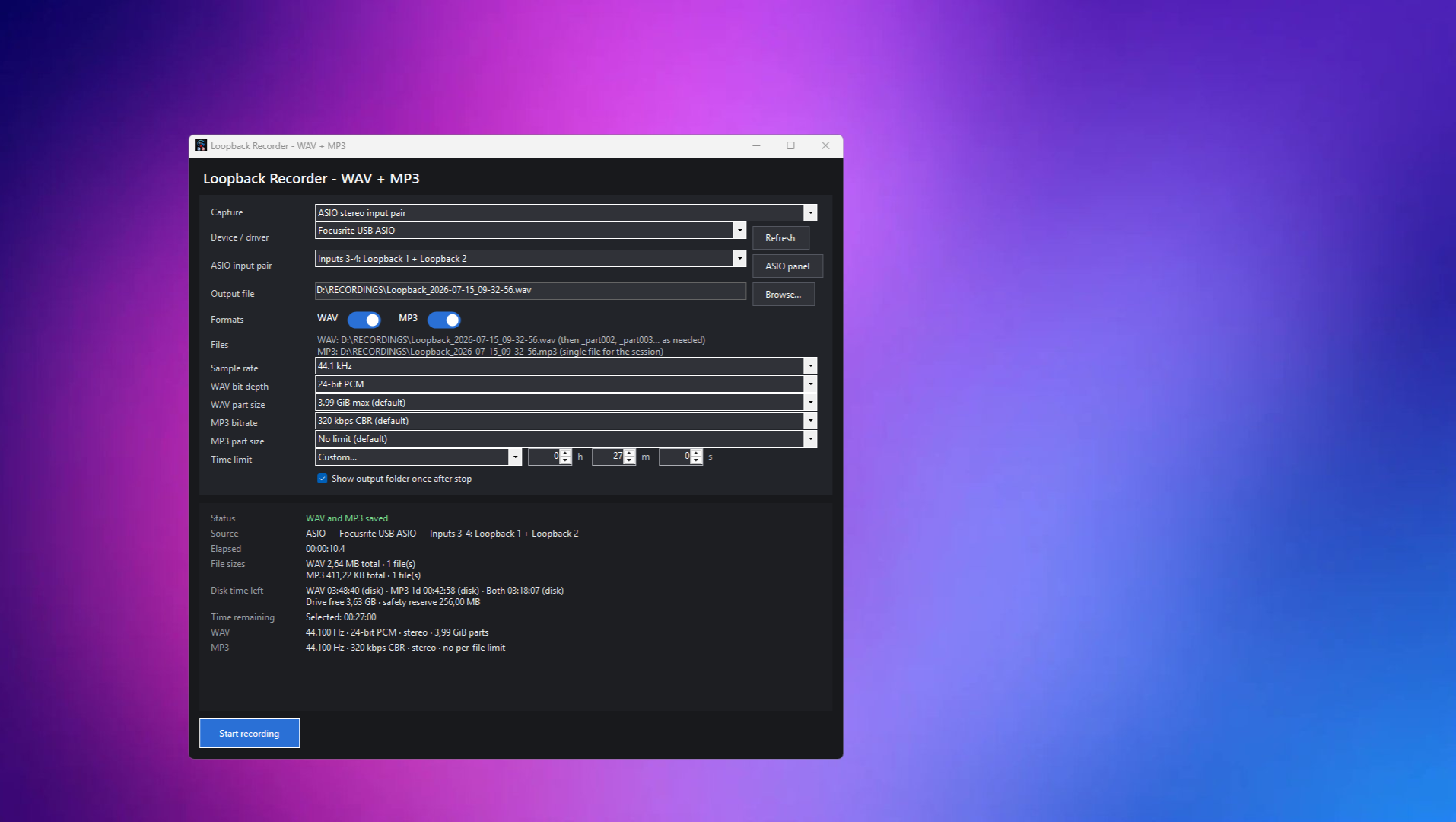
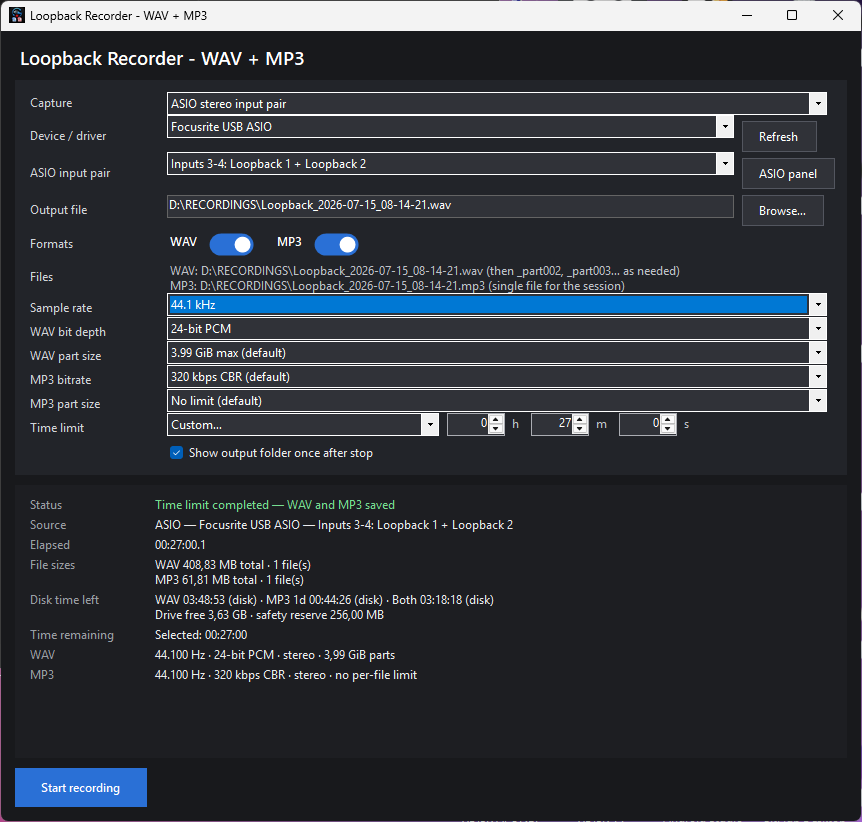
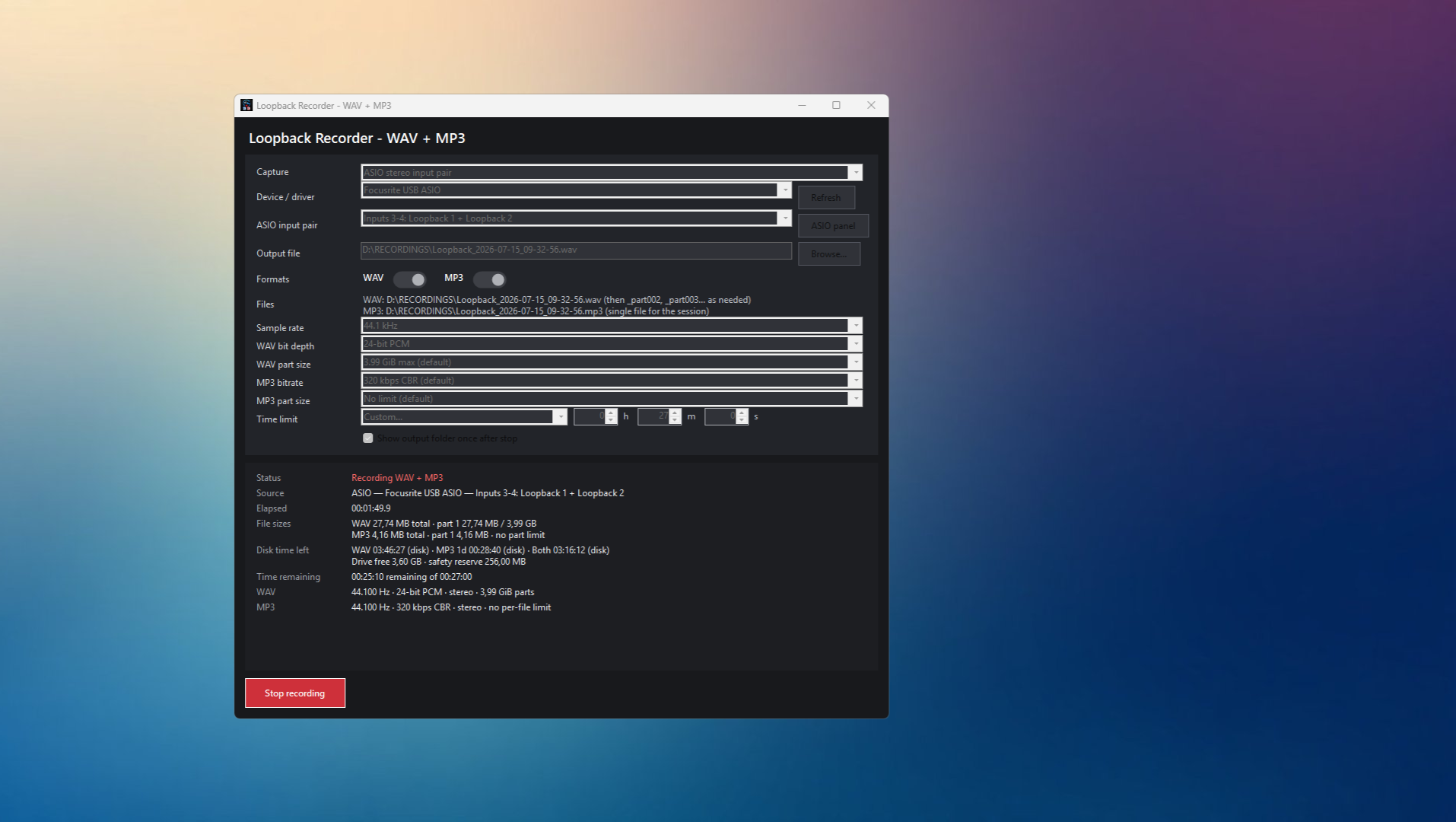
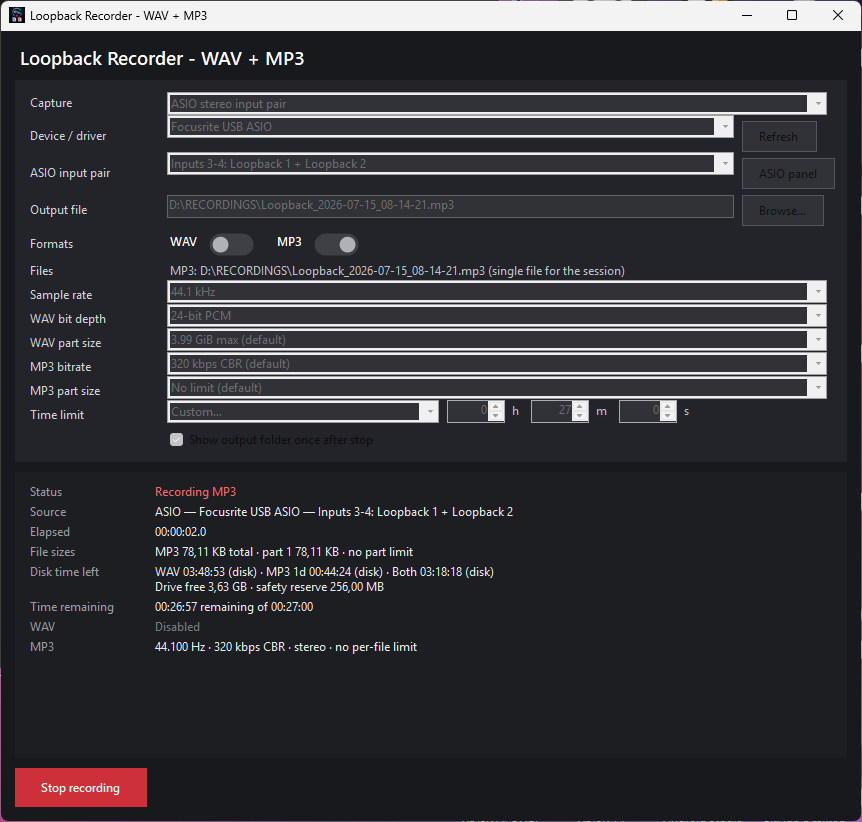
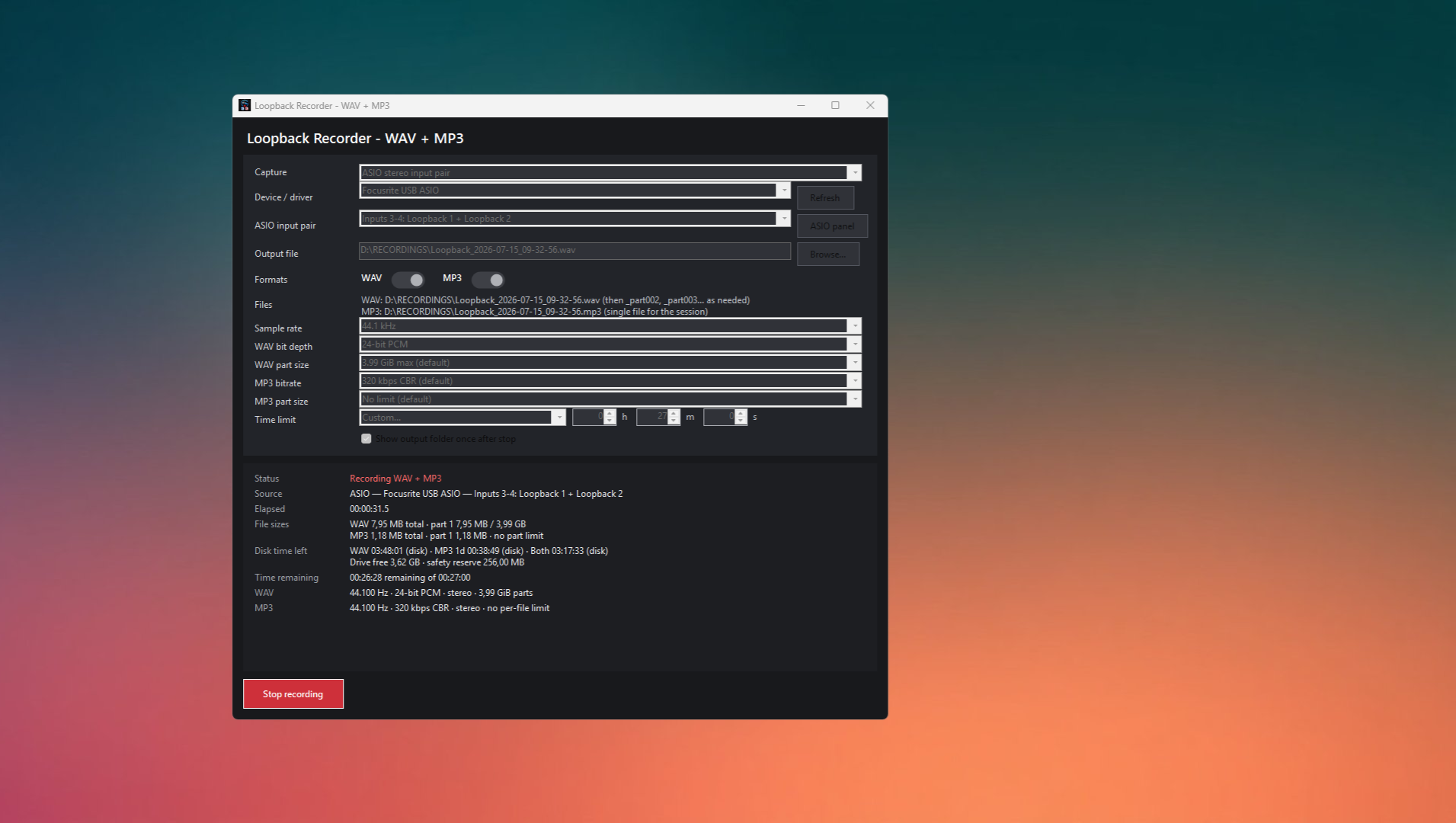
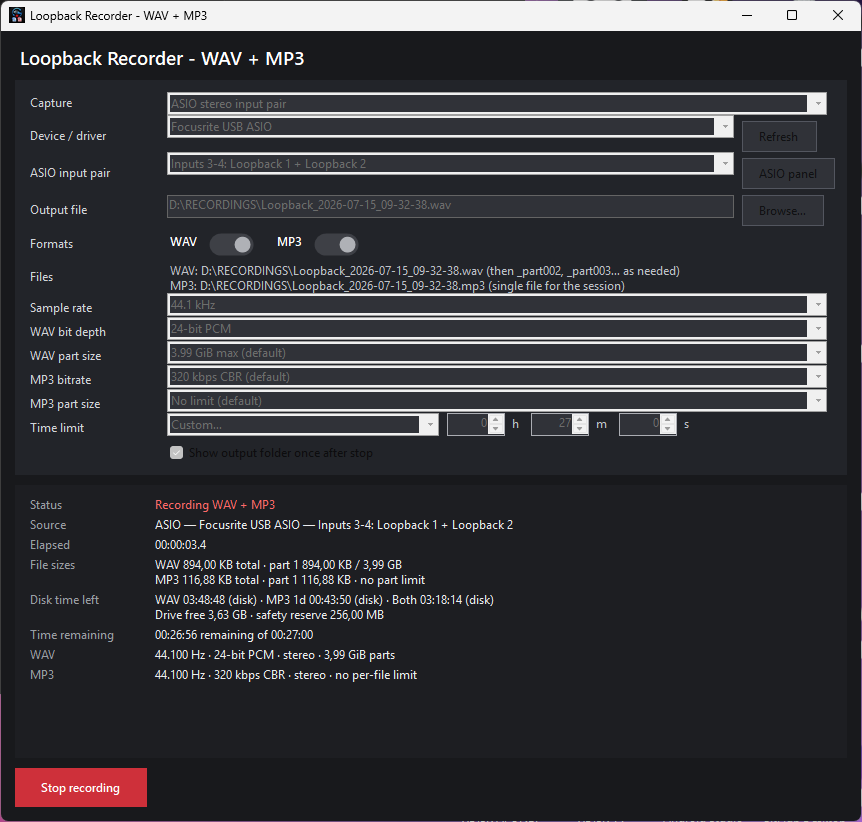
Changelog — Version 1.5.0 to 1.8.0
Version 1.8.0 — Custom Duration and Compact Interface
Added
- Added a Custom… recording-duration option.
- Added separate numeric fields for:
- Hours
- Minutes
- Seconds
- Custom durations can be combined, for example:
- 45 seconds
- 10 minutes
- 2 hours, 15 minutes, and 30 seconds
- Custom recording duration can be set from 1 second up to thousands of hours.
- Added validation that prevents recording when the custom duration is set to zero.
- The custom duration applies to the complete recording session:
- WAV and MP3 stop together.
- WAV and MP3 file rollover does not reset the timer.
- All active output files are finalized when the duration is reached.
- The main button returns to Start recording after automatic completion.
Interface improvements
- Redesigned the interface to be smaller and more minimal.
- Reduced the default window size.
- Reduced the minimum window dimensions.
- Reduced the general font size.
- Reduced heading and title sizes.
- Reduced panel padding and spacing.
- Reduced button padding.
- Reduced WAV and MP3 toggle-switch dimensions.
- Shortened labels throughout the interface.
- Removed unnecessary explanatory text from the main window.
- Removed the introductory subtitle.
- Consolidated the time-limit controls into a compact single row.
- Added scrolling for smaller screens and restricted display areas.
- Retained access to every advanced recording option while reducing visual clutter.
Retained
- WASAPI loopback recording
- ASIO input and hardware-loopback recording
- WAV-only, MP3-only, or simultaneous recording
- Separate WAV and MP3 rollover limits
- Recording-duration presets
- Disk-space monitoring
- 256 MiB storage reserve
- Persistent output directory
- One-button Start/Stop operation
Version 1.7.1 — Focusrite ASIO Driver Selection Fix
Improved
- Changed automatic Focusrite driver selection to prefer:
Focusrite USB ASIO
Focusrite Thunderbolt ASIO is no longer automatically preferred simply because it contains the Focusrite name.
- Focusrite Thunderbolt ASIO remains available for compatible Red and Clarett Thunderbolt hardware.
- Improved handling of systems containing multiple registered Focusrite ASIO drivers.
- The application no longer assumes that every registered ASIO driver has matching hardware currently connected.
- Switching to ASIO mode no longer immediately presents a blocking error when an unavailable driver is encountered.
Improved error reporting
- Replaced the misleading assumption that every ASIO-open failure is caused by another application taking exclusive control.
- Added clearer troubleshooting information for:
- Incorrect USB or Thunderbolt driver selection
- Disconnected hardware
- Obsolete or stale ASIO driver registrations
- Driver installation problems
- Sample-rate conflicts
- Another application already using a single-client ASIO driver
- Focusrite Control or Focusrite Notifier not detecting the interface
Version 1.7.0 — ASIO and Hardware Loopback Support
Added
- Added a second capture method:
ASIO input pair — hardware or driver loopback
- WASAPI loopback remains available as the default capture method.
- Added installed ASIO driver discovery.
- Added ASIO driver selection.
- Added stereo ASIO input-pair selection.
- Added driver-reported ASIO input-channel names.
- Added automatic preference for channel pairs containing names such as:
- Loop
- Loopback
- Added automatic preference for installed Focusrite drivers.
- Added an ASIO Panel button for opening the driver’s native control panel.
- Added active capture-source information to the status display.
- Added selected sample-rate validation against the ASIO driver.
- Recording is prevented when the ASIO driver does not support the selected sample rate.
Focusrite support
- Added support for capturing dedicated Focusrite loopback input channels through the Focusrite ASIO driver.
- The application displays the actual input names and positions reported by the installed driver.
- Loopback positions are not hardcoded because they can vary by:
- Focusrite model
- Hardware generation
- Driver version
- Sample rate
- Focusrite Control routing configuration
ASIO recording architecture
- Added a real-time-safe ASIO capture path.
- Audio encoding and disk writing are not performed directly inside the ASIO callback.
- Incoming ASIO data is:
- Converted to interleaved 32-bit floating-point audio.
- Copied into pooled memory.
- Sent through a bounded asynchronous queue.
- Written and encoded by a separate processing task.
- This reduces the risk that MP3 encoding or slow storage blocks the ASIO driver callback.
- Added a specific queue-overflow error when the computer cannot process ASIO data quickly enough.
- ASIO timeline handling remains continuously clocked and does not use WASAPI silent-gap insertion.
Capture-method guidance
- WASAPI remains suitable for:
- General Windows system-audio capture
- Devices without dedicated loopback channels
- Situations where the ASIO driver is already occupied
- Interfaces whose loopback routing is unavailable or unconfigured
- ASIO is suitable for:
- Dedicated interface loopback channels
- Direct hardware or driver input pairs
- Focusrite loopback routing
- Recording through the interface’s native ASIO driver
Version 1.6.0 — Continuous File Rollover and Separate Size Limits
Continuous WAV rollover
- Replaced the previous WAV 4 GiB recording stop with automatic file rollover.
- Reaching the standard RIFF WAV size ceiling no longer ends the recording.
- When the WAV file limit is reached, the application:
- Finalizes the current WAV file.
- Creates a new numbered WAV part.
- Continues recording from the next audio frame.
- Keeps MP3 recording active without interruption.
Example:
Loopback_2026-07-15_12-00-00.wav Loopback_2026-07-15_12-00-00_part002.wav Loopback_2026-07-15_12-00-00_part003.wav
WAV rollover is treated as normal operation rather than an error.
- The recording timer continues across all WAV parts.
- WAV rollover does not restart or interrupt the MP3 encoder.
Separate WAV file-size limit
Added independently selectable WAV part limits:
- 512 MiB
- 1 GiB
- 2 GiB
- 3 GiB
- Maximum safe standard-WAV size, approximately 3.99 GiB — default
Each WAV part is finalized before the selected limit is exceeded.
Separate MP3 file-size limit
Added independently selectable MP3 part limits:
- No MP3 file-size limit — default
- 256 MiB
- 512 MiB
- 1 GiB
- 2 GiB
- 4 GiB
- 8 GiB
When an MP3 file-size limit is selected, the recorder creates additional numbered MP3 files:
Loopback_2026-07-15_12-00-00.mp3 Loopback_2026-07-15_12-00-00_part002.mp3 Loopback_2026-07-15_12-00-00_part003.mp3
MP3 rollover does not stop WAV recording or reset the session timer.
Time-limit behavior
The recording time limit continues to control the complete recording session.
WAV and MP3 stop together when the selected duration is reached.
File-size rollover does not reset or extend the selected recording duration.
All active WAV and MP3 parts are finalized normally when the session ends.
Disk-space protection
Reduced the protected free-space reserve from 512 MiB to
Remaining recording-time estimates now use total usable disk capacity rather than treating the WAV 4 GiB ceiling as the end of the session.
Recording continues through WAV and MP3 rollover until:
- The user presses Stop.
- The selected time limit is reached.
- The drive approaches the 256 MiB reserve.
- A genuine recording, device, or file-writing error occurs.
Version 1.5.0 — Timed Recording and Improved Explorer Behavior
Added recording time limits
- Added a Recording time limit selector.
- Default setting:
No time limit
- Added preset recording durations:
- 1 minute
- 5 minutes
- 10 minutes
- 15 minutes
- 30 minutes
- 45 minutes
- 1 hour
- 2 hours
- 3 hours
- 4 hours
- 5 hours
- 5 hours and 30 minutes
- 6 hours
- 8 hours
- 10 hours
- 12 hours
- 24 hours
- Added a live countdown when a fixed duration is selected.
- Recording stops automatically when the selected duration is reached.
- WAV, MP3, or both active outputs are finalized normally.
- The main toggle returns to Start recording after automatic completion.
- The selected duration remains active so another recording can be started manually.
Storage validation
- Added pre-recording validation for selected recording durations.
- The application estimates whether the selected recording can fit within:
- Available drive space
- The configured safety reserve
- The WAV-format capacity available at that time
- Unsafe recording durations are rejected before output files are created.
Explorer-window behavior
- Changed the recording-folder behavior to a one-time reveal.
- The selected output folder is shown at most once per application run for each output directory.
- After the folder has been shown:
- A minimized Explorer window remains minimized.
- The application does not restore or bring it to the foreground.
- The application does not repeatedly create additional windows for the same folder.
- A visible matching folder window may update its selected file without stealing focus.
- If the folder is closed, it is not reopened automatically during the same run.
- Updated the option label to:
Show recording folder once after stopping
Versioned executable naming
- Changed the public executable naming scheme to include the full application name and version.
Example:
Loopback Recorder - WAV + MP3 V1.5.0.exe
- Updated:
- Publishing scripts
- Local installation scripts
- Start Menu shortcuts
- Installer configuration
- Uninstaller icon references
- Assembly metadata
- Application manifest
Summary of Major Changes Since Version 1.5
Versions 1.5 through 1.8 introduced:
- Preset and custom recording-duration controls
- Automatic timed stopping
- A compact hours, minutes, and seconds editor
- Continuous WAV recording through automatic numbered file rollover
- Optional MP3 file rollover
- Separate WAV and MP3 file-size limits
- A reduced 256 MiB disk-space reserve
- ASIO input and hardware-loopback capture
- Focusrite loopback support
- Improved Focusrite USB and Thunderbolt driver selection
- More accurate ASIO troubleshooting
- A real-time-safe asynchronous ASIO processing pipeline
- Improved one-time Explorer-folder behavior
- Versioned public executable names
- A substantially smaller and cleaner user interface
Files
Loopback Recorder - WAV + MP3 V1.8.0.exe 156 MB
2 days ago
Loopback_Recorder_WAV_MP3_v1.8.0_source.zip 2.2 MB
2 days ago
Get LOOPBACK RECORDER - WAV + MP3
Download NowName your own price
LOOPBACK RECORDER - WAV + MP3
LOOPBACK RECORDER - WAV + MP3
More posts
- 1.5 VERSION2 days ago
- 1.4 VERSION2 days ago
- 1.2 VERSION2 days ago
Leave a comment
Log in with itch.io to leave a comment.